Real-Time Price Comparison · Smart Recommendations

An Intelligent Food Delivery Price Comparison Agent
Compare Deals Across Multiple Platforms in One Click

Make Every Penny Count.

Scan to Try 二维码

Intelligent Price Comparison
See the Best Deals at a Glance

Real-Time Multi-Platform Search

Uses cloud phone technology to simultaneously query Chinese major food delivery platforms, including Meituan, JD and Taobao Instant Buy, for real-time pricing and product updates.

Intelligent Price Comparison

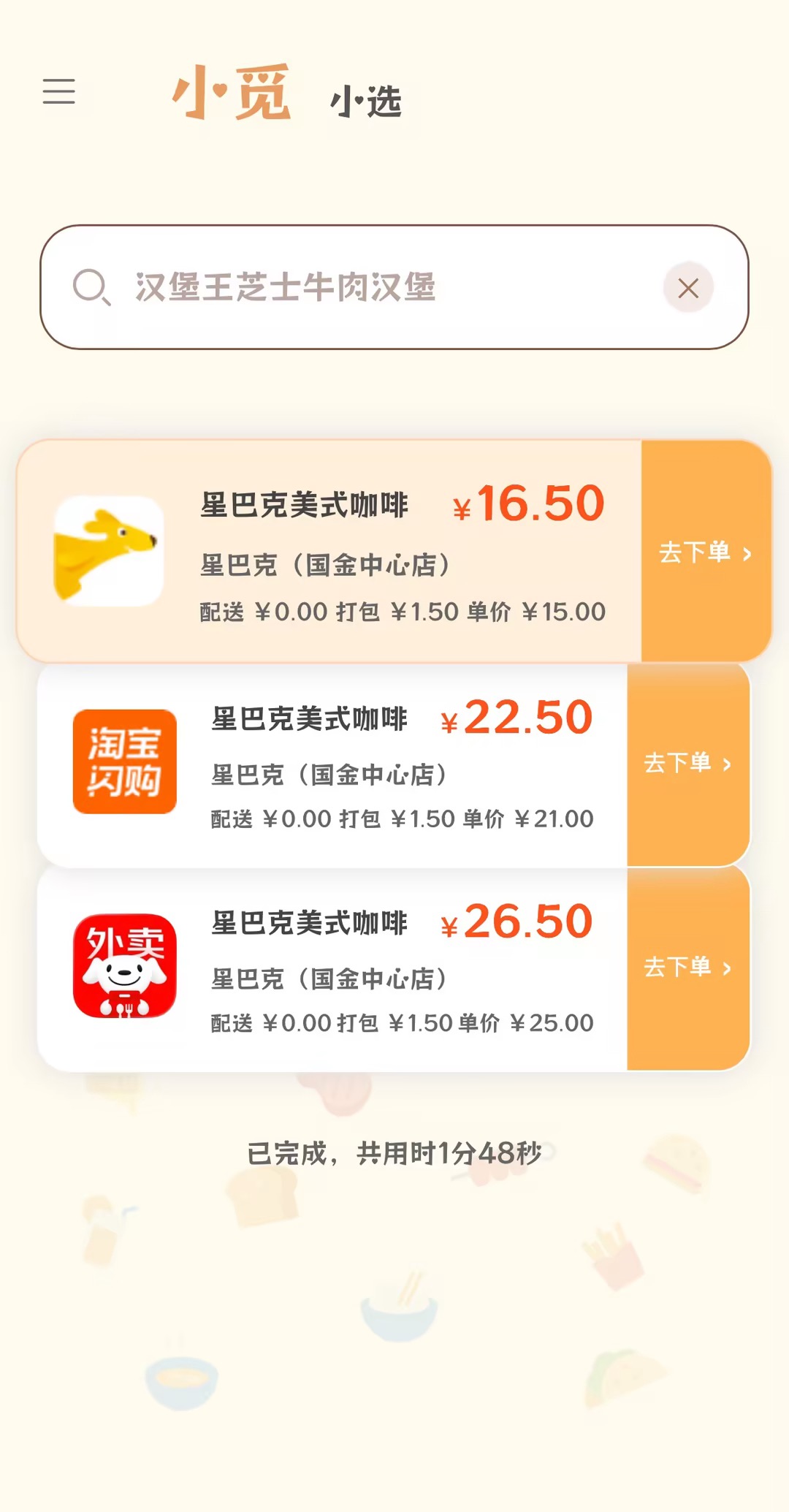
Compare all fees automatically and sort by total price to find the best deal fast.

价格对比示例
Usage Tips
1. Account Login: On the “Xiaoxuan” page, follow the logo prompts to sign in to your personal accounts on JD, Taobao, and Meituan.
2. Address Configuration: Please configure the delivery address on each platform on the Xiaoxuan page before use, otherwise it may result in no search results.
3. Seller name is optional: For products available from multiple sellers (e.g., "Orange Peel Latte"), it's recommended to include the seller name (e.g., "Manner Orange Peel Latte") to ensure accurate price comparison; for unique products ("归云南" - default belongs to "CHAGEE"), it's not required.

End-to-End Benchmark for Food Delivery Price Comparison

OrderWise performs excellently, with an average execution time improvement of 56.9%, task success rate improvement of 25%, and price extraction accuracy improvement of 25%, outperforming the original framework.

Avg Time Improvement

56.9%

Avg Task Success Rate

25%

Avg Price Extraction Accuracy

25%

Showcase

Official Demo

Xiaomi (Search Entry Page)    Xiaoxuan (PhoneAgent Execution Page)

1.Users can enter any food delivery item they want to compare prices for in the search box.
2.At any time, users can click ”I’ll take over” to pause the search. Once the operation is complete, the Agent will automatically resume execution.

MCP Mode

Command-line Interactive Experience

Quick Start

# Clone Repository

git clone https://github.com/ucloud/orderwise-agent.git

cd orderwise-agent

# Install Dependencies

pip install -r requirements.txt

Configure the model service settings in `env.sh`

Configure the app-to-device mappings in `examples/app_device_mapping.json` for both Android cloud and physical phones

# Launch Interactive MCP Mode.

bash start-mcp-server-tmux.sh